Admin By Request (ABR) replaces standing local admin rights with just-in-time elevation. When a single IT team approves requests for many ABR tenants, whether as an MSP, a reseller or the central IT of a group of companies, the requests are spread across separate portals and notifications, and there is no single view of who approved what, for which customer.
ABR Approvals by OnCloud brings these approvals into one place. The app is free, open source, and deploys into your own Azure subscription, so API keys and request data stay in your own environment.
Who it's for
- MSPs and resellers that approve elevation requests on behalf of their customers' ABR tenants.
- Organizations with more than one ABR tenant, such as a group of companies served by a central IT team.
- Running a single tenant? Admin By Request's own Microsoft Teams integration is built in and simpler to set up.
How it works
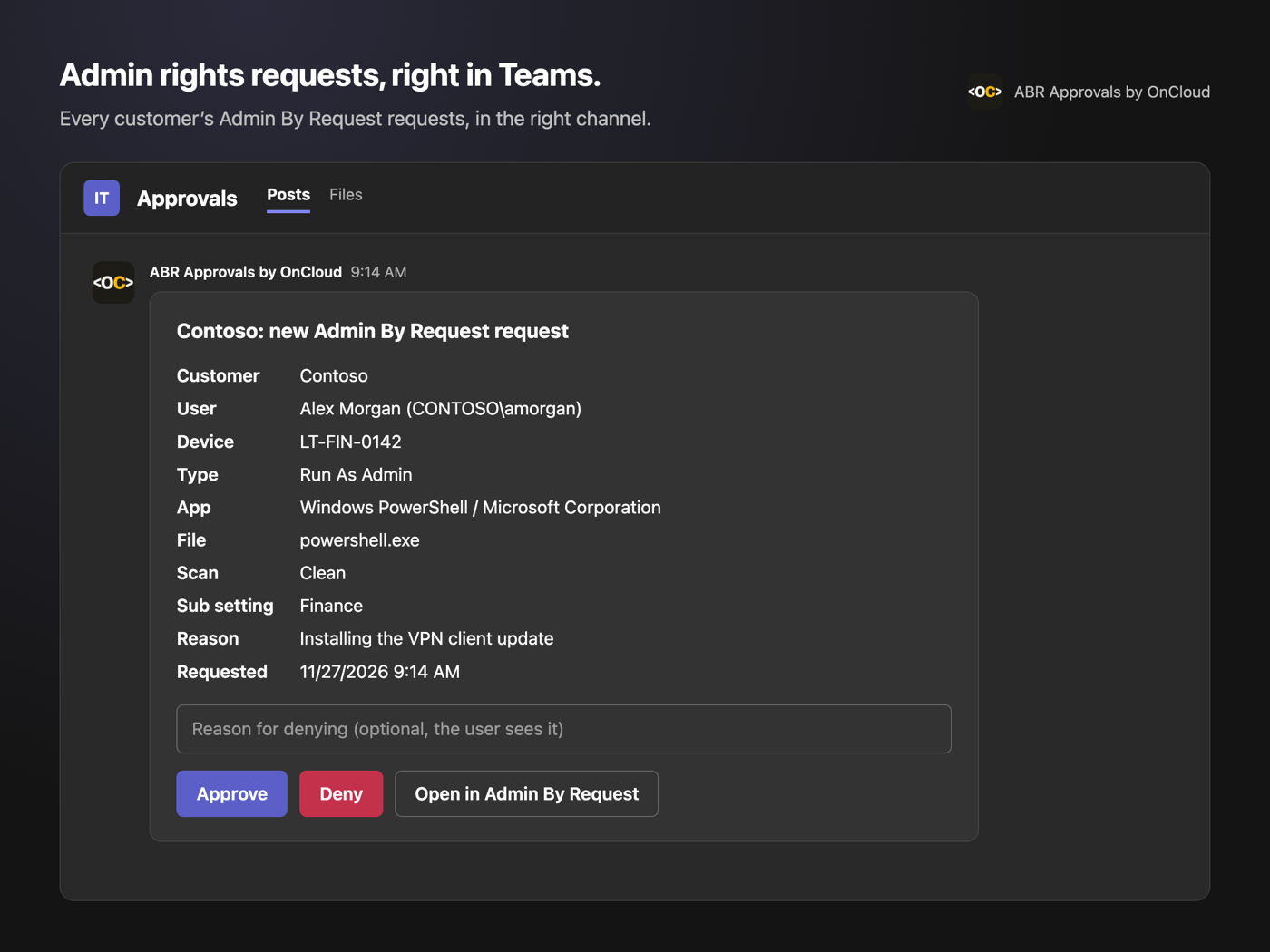
- Request cards per tenant. The app polls each tenant's pending requests through the ABR API every minute and posts each new one to that tenant's channel, with the user, device, application, file, scan result, sub setting and justification.
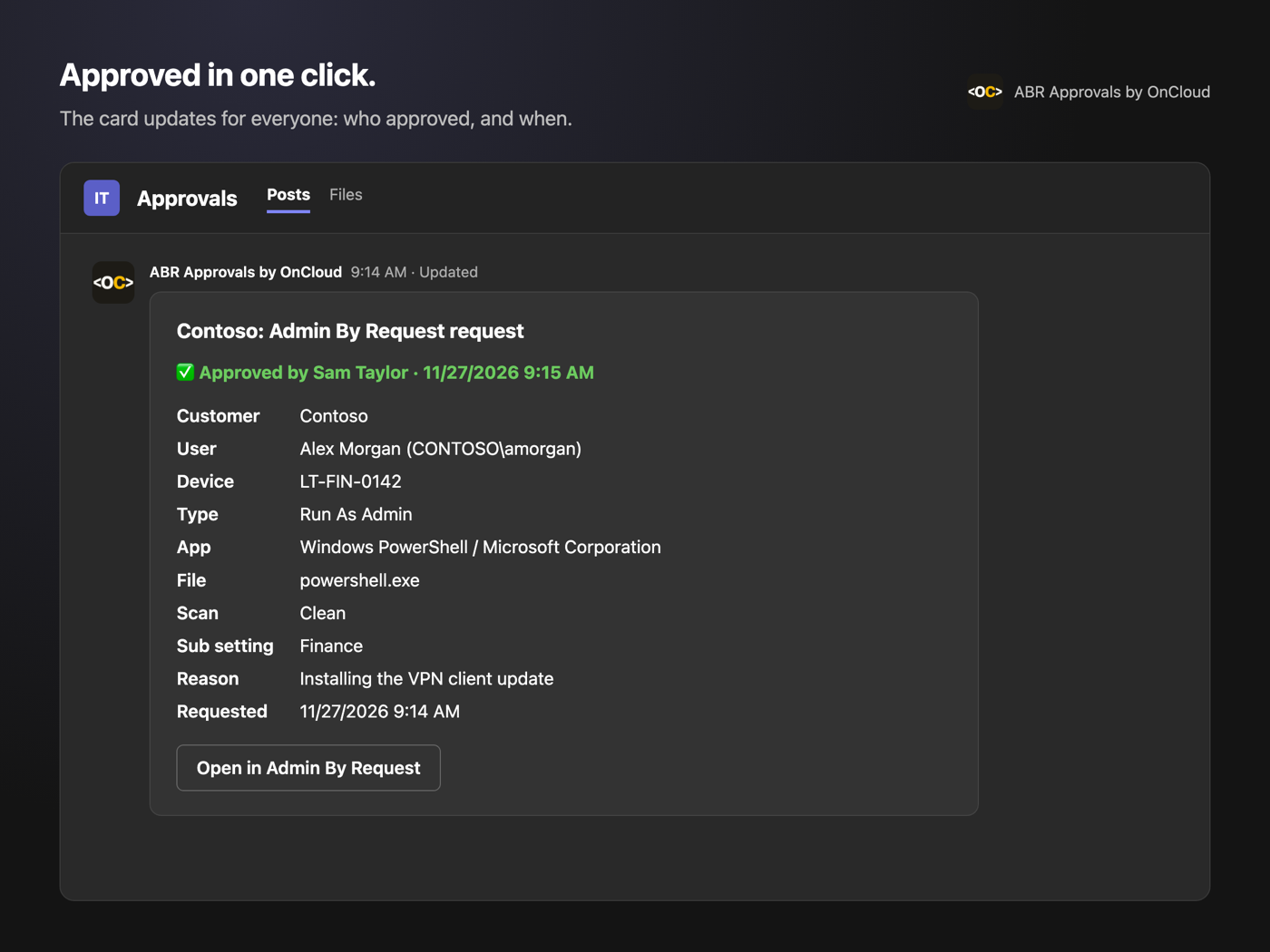
- Approve or deny from the card. Approvers act directly on the card and can add a reason for a denial, which the user sees. The card then updates for everyone in the channel with the decision, who made it and when.
- Per-tenant approver groups. Each tenant is assigned an Entra security group of approvers. Anyone outside the group is refused, the request stays pending, and the attempt is recorded.
- An audit trail of every decision. Each decision is logged with the tenant, the request, the approver, the time and the reason, alongside refused attempts.
Onboarding a tenant
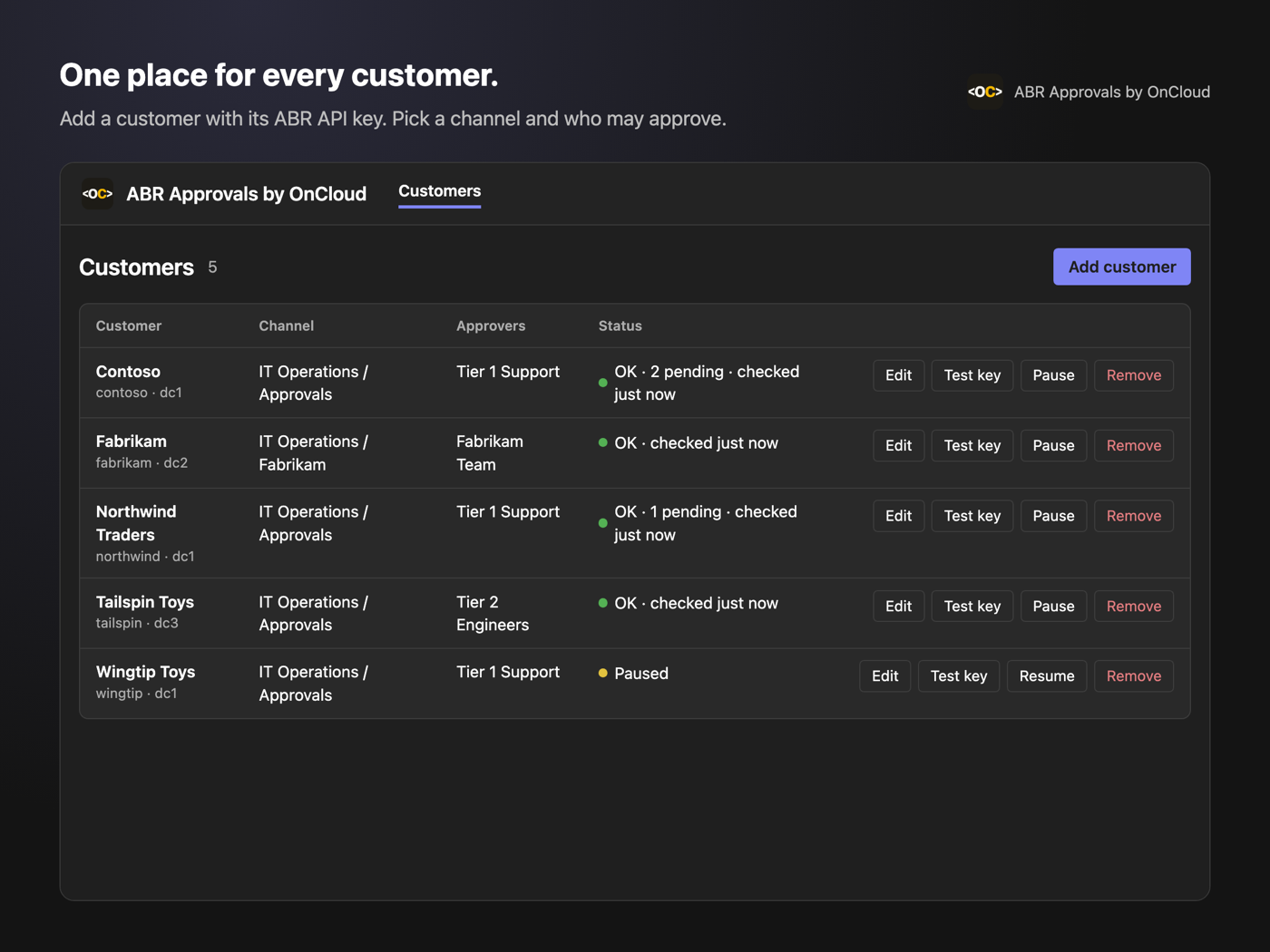
A Customers tab in Teams lists every tenant with its channel, approver group and status. Onboarding a tenant takes its ABR API key, a channel and an approver group. The app detects the ABR region automatically and writes the key directly to Azure Key Vault, where it is never displayed again. The same tab is used to test a key, pause a tenant or remove it.
Security by design
- No stored secrets. The app authenticates to Teams, Key Vault, storage and Microsoft Graph with an Azure managed identity.
- API keys in Key Vault only. An ABR API key grants full API access to its tenant, so it is never stored anywhere else.
- Tenant isolation. Every decision uses the API key and the approver group of the tenant shown on the card.
- Teams single sign-on. Only members of a dedicated admin group can manage tenants in the Customers tab.
Deployment in about 15 minutes
- Deploy to Azure. A single button in the GitHub README creates every resource in your subscription.
- Run one command in Cloud Shell. It configures the Microsoft Entra side: read-only Graph permissions, Teams sign-in and the admin group.
- Add the app to Teams. Upload it in the Teams admin center and add it to the team that receives the cards.
- Onboard your tenants. Add each tenant in the Customers tab.
Does it replace the ABR portal?
No. The portal remains the place for settings, sub settings and reporting. The app adds a way to approve and deny from Teams, across many tenants. Requests handled in the portal close their card in Teams automatically.
What does it cost to run?
Around $13 a month for the Azure App Service (B1), plus a few cents for Key Vault and storage. The app itself is free.
Planning least privilege for your customers or your own organization? See admin rights management.
Approve ABR requests for all your tenants from Microsoft Teams. Get the app and the deployment guide.
Get it on GitHub